

Finish your daily report in two minutes and know exactly what to do next.
Karma AI asks only the questions that matter, captures blockers properly, and turns your update into a clear next step.
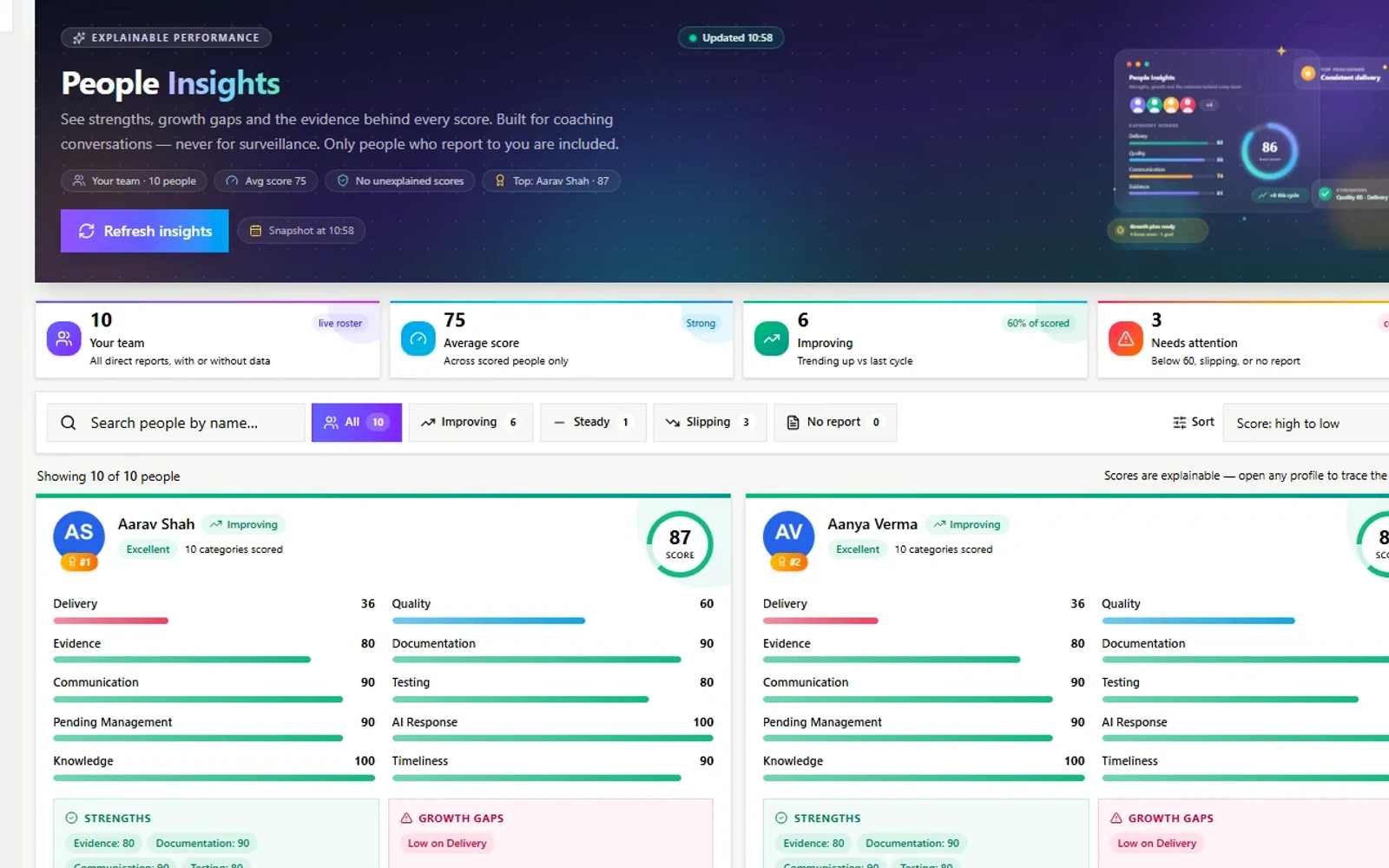
Four ways to explore — all free, no login required.
~90 sec
to see the whole story
3
role perspectives
0
logins required
1
end-to-end scenario
Watch first
Prefer a quick walkthrough before the full demo?
A narrated product tour in 10 languages. Then come back and click through the interactive story with the fictional Acme Technologies team.
Actual Karma AI screens — not mockups
Employee, manager and owner views
Narrated in English with captions
Video language
Recorded from the live Karma AI workspace. Select a language above for narration and captions.
The journey
Report → Understand → Act → See the outcome
One scenario follows the work from the employee's update to the owner's decision — no separate demos, no disconnected screens.
Employee reports
One structured update. AI asks only the missing detail.
SaaS / Software
AI structures it
Dependency owner, impact and expected date captured.
SaaS / Software
Manager acts
Exception first, with the report one click away.
SaaS / Software
Owner sees impact
Risk, KPI and a grounded answer in one view.
SaaS / Software
More features
Everything Karma AI can do
Beyond this scenario — the full product surface, included in one license.
AI Assistant & Buddy
Ask Karma AI anything about your work, tasks and company — answers are grounded in your data, not invented.
AI Briefing & Today's Plan
Start every day with a role-aware briefing and a planned day, so everyone knows what matters today.
Knowledge Base & Company Memory
Completed work becomes reusable company knowledge — lessons and decisions that stick.
Department Board & Team
See your team's deadlines, blockers and status at a glance — exceptions first.
Rewards & Champions
Recognise great work with Karma Coins, a redeemable catalog and a champions leaderboard.
Community & Ideas
Share updates, polls and ideas across the company — engagement that surfaces the best ideas.
Academy & Career
Learn and grow with structured lessons, a skills matrix and a career passport.
Referrals & Benefits
Bring great people in through referrals and unlock benefits for the team.
Interactive demo
One scenario, three perspectives
You are viewing the employee lens for saas / software.
Acme Technologies · Employee workspace
20% completeEmployee · 4:40 PM
Rahul reports the blocker
The Client API Integration task is 70% complete but blocked on a missing third-party credential.
70%
Progress captured
Karma AI
Which dependency is missing, who owns it, and when is it expected?
Role benefits
The same workflow, a different win for each role
Select a role to try its perspective, or compare all three below. Time savings are illustrative estimates, not measured results.
Employee
Finish your daily report in two minutes and know exactly what to do next.
Aarav starts the day with one blocked task. He reports it in two minutes, answers one AI follow-up, and gets back to work.
2 min · Typical report
Instead of a long end-of-day write-up
12 min · Saved daily
No repeated follow-ups with your manager
1 view · Clear next step
Blockers, owner and due date captured
Manager
See blockers before they become missed deadlines.
Ravi opens his dashboard, sees one blocked delivery, reviews the AI summary, and assigns a follow-up before stand-up.
1 screen · Exceptions first
No reading every report manually
45 min · Saved weekly
Less chasing and status collecting
0 surprises · Delays caught early
Risk visible before the deadline
Owner / Executive
Know which team needs attention today, not next month.
Rahul Kapoor opens the executive dashboard, sees one at-risk delivery, asks Karma AI why, and gets a data-backed answer.
1 view · Company health
KPIs, risk and department comparison
3 hrs · Saved weekly
No manual management reporting
Live · Risk visibility
See the blocker before the client does
Before / after
From scattered updates to one shared truth
Drag the comparison to see how much of the manual follow-up disappears when the work update is structured.
Status collected manually
15% afterBlockers visible before deadline
65% afterShared manager/owner context
65% afterBefore Karma AI
- Scattered chats and updates
- Repeated manual follow-ups
- Hidden dependencies
- Late delivery-risk visibility
- Manual management reporting
With Karma AI
- Structured daily reports
- AI asks only missing details
- Blockers have owner and date
- Early action on risk
- One shared manager and owner view
Impact summary for Employee
2 min
Typical report
Instead of a long end-of-day write-up
12 min
Saved daily
No repeated follow-ups with your manager
1 view
Clear next step
Blockers, owner and due date captured
Your demo session
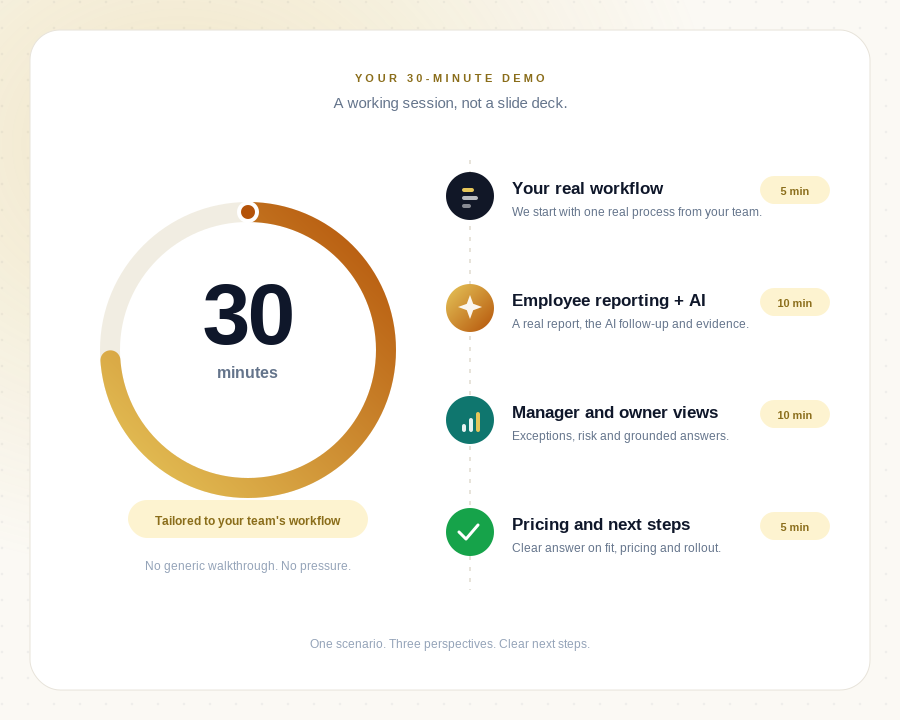
30 minutes. Your workflow. Clear answers.
A working session with your team — not a slide deck. We use a real process from your company so you can judge the value before you decide anything.
Your real workflow
5 minWe start with one process from your team — not a generic script.
Employee reporting + AI
10 minSee a real report, the AI follow-up and the evidence trail.
Manager and owner views
10 minWatch exceptions, risk and grounded answers surface in one place.
Pricing and next steps
5 minLeave with a clear fit, price and rollout path for your team.
Questions, answered
Questions before you start
Still unsure what to expect? Book a short call and we will answer everything before the demo.
Talk to our teamIs this demo using real company data?
No. The guided demo uses a small fictional company called Acme Technologies. It never reads or modifies production records.
Can I choose the role I want to see?
Yes. Pick Employee, Manager or Owner/Executive. The demo highlights the benefits and screens most relevant to that role.
How long does a personalised demo take?
About 30 minutes. We use one real workflow from your team, show the employee, manager and owner views, and leave time for pricing and questions.
What should we prepare before the demo?
Bring one workflow your team runs every week and, ideally, one person from each perspective — employee, manager and owner. No data upload is needed.
How do I see Karma AI with my own data?
Use the live application with your account, or book a personalised demo and we will walk through your workflow.
Will you cover pricing in the demo?
Yes. Karma AI is ₹999 per employee per month with a minimum monthly billing of ₹25,000. We will map that to your team size and hosting preference.
Want this mapped to your team?
Book a personalised demo. We will use your roles, industry and workflow instead of a generic tour — and leave you with a clear next step.
- 30-minute working session with your team
- One real workflow, shown end-to-end
- Clear pricing, fit and rollout plan
Take it with you
Download the decks
Ready-to-present slide decks — one overview plus role-specific decks with product screenshots.
Full Demo Deck
Complete overview — problem, solution, features, workflow, scoring and pricing.
Download deckEmployee Demo
Role deck with screenshots — My Day, tasks, reports, AI Buddy and growth.
Download deckManager Demo
Role deck with screenshots — team dashboard, review, approvals and workload.
Download deckOwner / Executive Demo
Role deck with screenshots — KPIs, risk, analytics, decisions and memory.
Download deckLooking for more assets? See the full Downloads page.